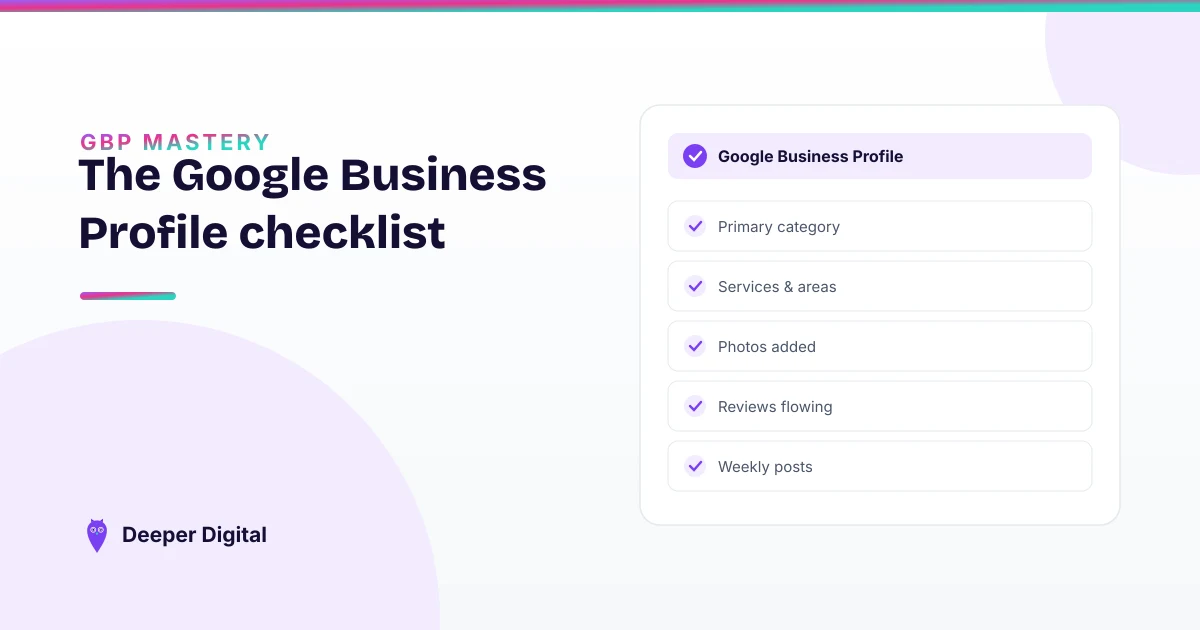
Most of local SEO is free, self-serve, and finishable in a weekend. The profile fields, the review habit, the directory listings, the booking link: none of it is gated behind an agency, and an owner who works through it methodically gets most of the available benefit without spending anything.
The part that costs money is not the setup. It is doing it again next month.
Here is the checklist, in the order that wastes the least time.
1. Claim the profile, and confirm who owns it
Search your business name in Google and see what comes back. If a profile exists and you cannot edit it, someone else has the keys. Usually a former employee, an old web designer, or a marketing company from three years ago. Recovering it takes longer than everything else on this list combined, so start here rather than discovering it on Sunday afternoon.
If no profile exists, create one. Verification can take days, and nothing below counts until it clears.
2. Set the primary category with the most specific term that is true
The primary category does more work than anything else on this list, and it is a dropdown, not a text box. You get Google’s terms, not your own. Pick the most specific one that honestly describes the main thing you do. A category that is broader than your business puts you in a bigger pool for no benefit.
Add secondary categories only for services you offer. (The primary-versus-secondary distinction, in more detail.)
3. List every service as its own line
Each service is a separate entry with its own one-sentence description. Blank services are the most common gap on the profiles we audit, and a strange one to leave open. The field is free, it takes twenty minutes, and an unlisted service is a service the profile never mentions.
Write the sentence for a customer, not for a search engine. If you would not say it out loud on the phone, do not put it there.
4. Set service areas by name, not by radius
If you travel to customers, name the towns and neighborhoods you work in. A radius drawn on a map is easier to set and worse in every other way. (The full service-area setup: ten minutes, done once.)
If customers come to you, use the real address and skip this.
5. Fill hours, including the holiday ones
Regular hours take two minutes. Holiday hours are the ones nobody sets, and they are the ones that show a customer “may be closed” on the day they were ready to book. Set them for the next twelve months while you are in there.
6. Write the description, and use most of the space
You get 750 characters. Most profiles use about 200 of them, which is a strange kind of restraint given the field is free. Say what you do, where you do it, and what makes the service different in plain words. (Examples by trade.)
7. Upload real photos, and keep uploading them
Ten is a reasonable floor. Photos of the real work, the real vehicle, the real space. Taken on a phone, in daylight, without a filter. Stock photography is visible from a distance and does the opposite of what it is hired to do.
The recurring version of this task: a few new photos every month, which is the item most likely to slip.
8. Build the review habit before you need it
Two halves, and the second is the one people skip.
Asking: every finished job, same day, by text, with the direct review link. Not a QR code on an invoice nobody reads. (The ask system in full.)
Replying: every review, positive and negative, within a business day or so. The reply is not for the person who wrote it. It is for the next person reading. (Reply templates, and why steady beats big.)
9. Seed the Q&A section yourself
Anyone can ask a question on your profile, including a competitor. You can also ask and answer your own, which sounds like a loophole and is a documented feature. Put the four questions you answer on the phone every week up there, with the answers you give. (How to seed it.)
10. Make your name, address and phone identical everywhere
Pick one exact format (including whether it is “St” or “Street”) and use that string on your website, your profile, and every directory. Then submit to the main ones: Apple Maps, Bing Places, Yelp, Facebook, and the two or three that matter in your trade.
This is the tedious item. It is also permanent and yours, which is more than can be said for most marketing. (Why the exact string matters.)
11. Put one obvious booking or quote link on the profile
Most profiles offer a phone number and nothing else, which works fine until someone is searching at nine at night. (Where the booking link lives.)
What the weekend does not cover
Three honest gaps.
It does not cover keeping any of it current. See the next section.
It does not cover pages on your own website, which is separate work with its own scope.
And it does not cover a market where three competitors are already doing all eleven items well. In that situation the checklist gets you to the same starting line as everyone else, which is worth doing and is not the same as an advantage.
The 20% that costs something
The eleven items above are a weekend. The version that keeps working is a standing hour every month: new photos, a post, holiday hours, reviews asked for and answered, directory entries re-checked when something changes.
Nobody sustains that on memory. It survives as a calendar entry or it does not survive.
The short version
Claim it, categorize it precisely, list every service, name your areas, fill the hours, write the description, add real photos, ask and reply to reviews, seed the Q&A, match your details everywhere, add a booking link. Free, and a weekend.
Work the list yourself. Honestly, it is the right first move. If you would rather see what a close read of your profile and your pack turns up first, request a free game plan. Here is exactly what’s in one. One business day, no card, yours to keep either way.
 NASP
NASP  Wild Foods Co.
  Noble Origins
  Cowboy Pools
  BT Biltong