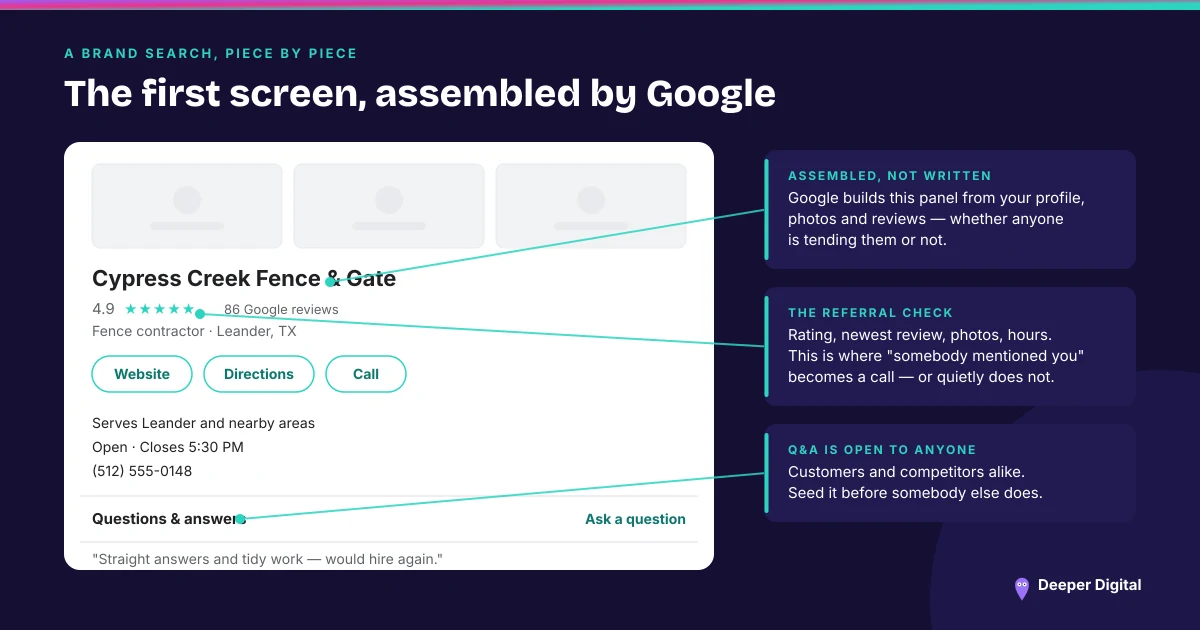
A Google Business Profile can carry a booking link, and most service businesses never set one. The field sits in the Bookings section of the profile editor, it accepts whatever scheduling page you already use, and it puts a Book button in the action row next to Website, Directions and Call.
That row is the entire interface for most local searches. Three buttons, one screen, no scrolling. Leaving one of them off is a decision, even when nobody remembers making it.
What does a Google Business Profile booking link change?
Nothing about how the profile is assembled. Everything about what a decided customer can do at nine at night.
The phone number covers business hours and the people willing to make a call. The website button covers people willing to navigate a site. The booking link covers the group in between: ready to commit, not ready to talk to anyone. That group is bigger than most owners think, because they never hear from it.
The people who leave because there was nothing to tap do not generate a data point. They generate a quiet week.
Where to find the field
In the profile editor, the section is called Bookings. On desktop it sits with the other links; in the Google Maps app it is under the same editing menu.
You paste a URL. That is the whole setup. There is no partner to sign up with, no integration to configure, and no reason it should take longer than a minute. Which makes the number of empty ones on the profiles we audit hard to explain.
What to link to
The page where the booking finishes. Not the homepage.
Someone tapping Book has already made the decision. Sending them to a homepage hands the decision back and asks them to find the scheduling page themselves, which some of them will and some of them will not. If your scheduler lives on a subpage, link the subpage.
If you do not have online scheduling, a short quote-request form on its own URL still beats the homepage. Three fields, a phone number, a submit button. It does not need to be sophisticated to be better than nothing.
Check two things before you paste: the page loads properly on a phone, and a submission reaches a human. A booking link pointing at a form that emails an address nobody has opened since 2023 is worse than no link, because it converts the customer and then loses them.
The link you did not add
Some profiles already show a Book button that the owner never set up. Third-party scheduling and reservation providers with Google integrations can place these automatically, and the link can outlive the relationship. The provider gets dropped, the link stays, and it points at a page that no longer exists or belongs to somebody else’s account.
These do not come out through the profile editor. They come out through the provider that put them there, which is a longer phone call than it ought to be. Check whether yours is one of these before assuming the field is empty.
What it does not do
It is a link. It does not affect how the profile is assembled or where it appears, and any pitch that suggests otherwise is describing a different product.
What it affects is what happens after someone has already found you and already decided. That is a narrow job. It is also the last step in the entire chain, which makes it a strange one to leave undone. (The rest of the action row, and the missed-call problem it partly solves.)
The short version
The Bookings field takes a URL, puts a Book button next to Call, and takes a minute. Point it at the page where booking finishes, test it on a phone, and check whether an old provider left a dead one behind.
The field itself is profile work, and keeping it current is on every plan. Online booking and forms are set up on the plan, wired into the tools you already use, and the field points straight at them. See what’s included.
 NASP
NASP  Wild Foods Co.
  Noble Origins
  Cowboy Pools
  BT Biltong