Schema markup is a small block of code that labels your business facts — name, phone, services, reviews — so machines can read them without guessing. If you’ve read anything about AI search or “getting recommended by ChatGPT,” you’ve probably run into the word schema — usually with a warning that you’re doomed without it.
You’re not doomed without it. But it’s worth understanding, because it’s cheap, it’s useful, and it fits neatly into the same work that gets you found. Here’s the plain-English version.
What is schema markup?
Schema markup is a small piece of code on your website that labels your information for machines. It doesn’t change what a visitor sees — the page looks exactly the same. Behind the scenes, it tags each fact: this is the business name, this is the phone number, this is a service we offer, this is a customer review, this is our service area.
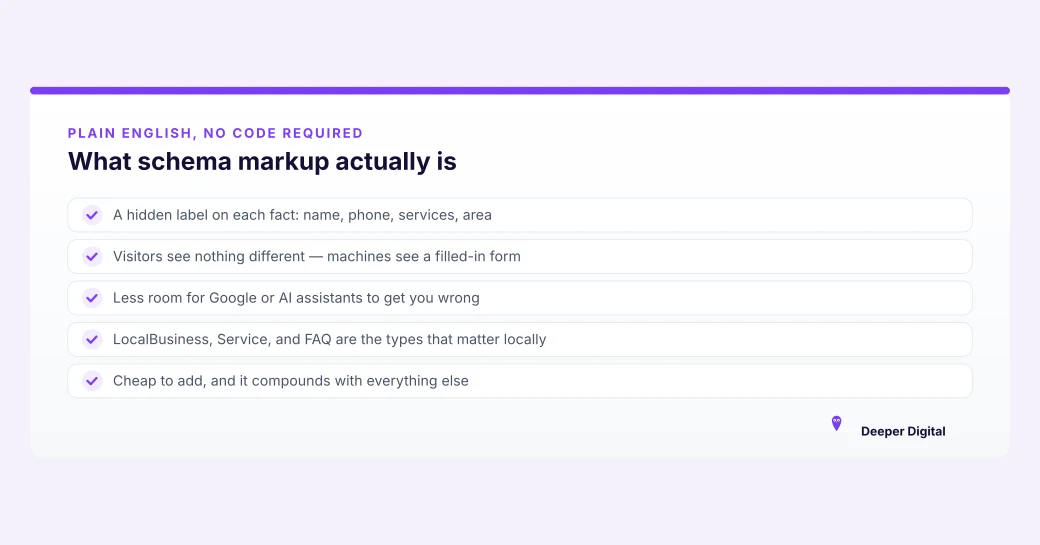
Think of a page without schema as a paragraph a machine has to interpret, and a page with schema as a form where every field is labeled. Both contain the same facts. The labeled version leaves far less room for a search engine — or an AI assistant — to get it wrong.
Does schema markup help you show up in AI search?
It helps, but it is not the thing that gets you recommended. This is the part most “you need schema!” advice skips.
AI assistants like ChatGPT and Gemini recommend the business whose details are complete, consistent, and clearly the obvious answer — pulled from your Google Business Profile, your reviews, and matching information across the web. Schema makes those details easier for a machine to read without ambiguity, which is a real advantage.
But if your profile is thin or your name and phone number don’t match across the web, schema won’t save you. It’s the polish, not the foundation — the same order of priorities we lay out in the AI search checklist.
What schema does a local business actually need?
Three types cover almost everything that matters:
LocalBusiness — the core one. It labels your name, phone, address or service area, hours, and the areas you serve. This is the block that helps Google and AI systems trust your basic facts.
Review / AggregateRating — labels reviews and ratings so a machine reads them as reviews instead of stray text on a page. One caveat nobody selling schema mentions: Google ignores review markup a business writes about itself, so this will not paint gold stars under your own link. (And inventing reviews is exactly the kind of local SEO scam that gets sites penalized.)
FAQPage — labels question-and-answer content so a machine can find the answer and lift it whole. That is the entire benefit these days, and it’s a real one: nothing can quote you if it can’t tell which sentence is the answer.
You don’t need the other 800 schema types. These three, done accurately, are the whole game for a local service business.
Does schema improve Google rankings?
Not directly — and anyone who tells you otherwise is overselling it. Google has been clear that structured data isn’t a ranking boost on its own.
What it does do is hand every machine that reads your site a labeled version of your facts, and keep you eligible for the richer result formats Google still supports. Note the word still. The FAQ dropdowns everyone used to sell schema on are gone, retired in May 2026, and they were only ever available to a short list of government and health sites. Anyone still pitching schema on the promise of dropdowns is selling last year’s feature.
So the honest way to say it: schema doesn’t rank you higher. It makes sure that when something reads you — Google’s crawler, an AI Overview, ChatGPT — it reads you correctly.
Do I need to code it myself?
Usually not. Many website platforms add basic schema for you, and any local site built properly — including the websites we build — ships with it baked in. If you’re on a DIY builder, a plugin or a small block of code in the page header does the job.
The mistake isn’t skipping schema. The mistake is spending a weekend on schema while your profile is half-finished and your phone number reads three different ways across the web.
Fix the profile and your information consistency first. Schema is the last 10%.
The honest summary
Schema hands machines your facts already labeled — not a magic AI-search switch. Get the foundation right — the profile, reviews and content that get you named by ChatGPT and Gemini — then add schema.
The plans work on your Google Business Profile; a site build, schema included, is quoted separately. Grab a free game plan before you spend a dollar.
 NASP
NASP  Wild Foods Co.
  Noble Origins
  Cowboy Pools
  BT Biltong